
Intro
Big Bars – Explanation:
- Look at a chart and highlight the largest bars on the chart ~10% of any chart
- You can also download this indicator
- Understand why that bar became so big. What happened just before to do that where both sides agree?
Urgency – Explanation:
Here is a video for the indicator:
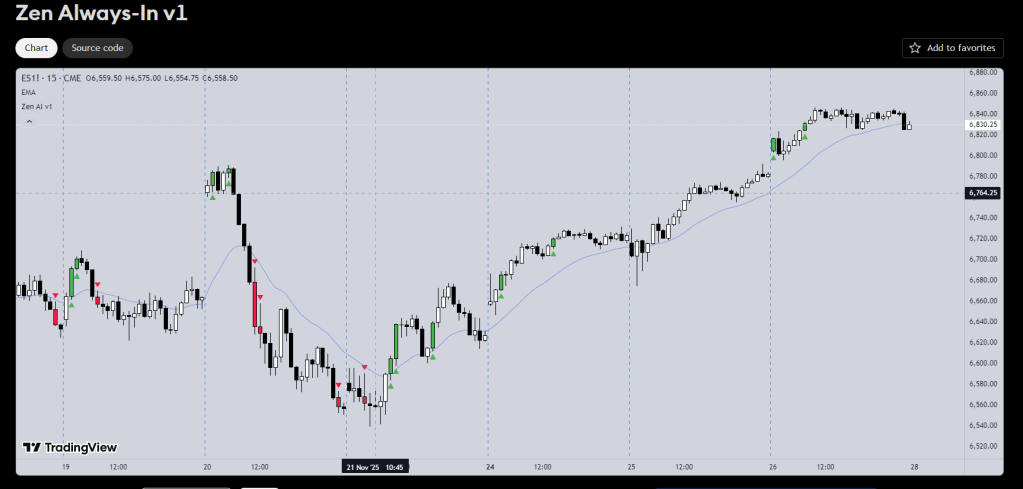
- Use the Gap indicator and turn on URGENT BARS
- Expand the chart to see the arrows
- This is showing shaved bars
- A shaved bar means as soon as it closed it raced off
- Understand why that bar had no overlap
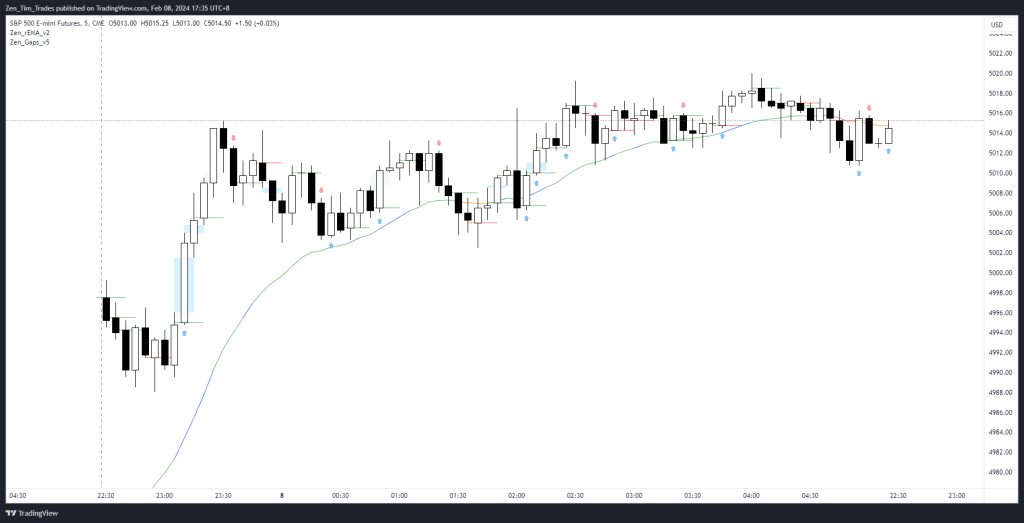
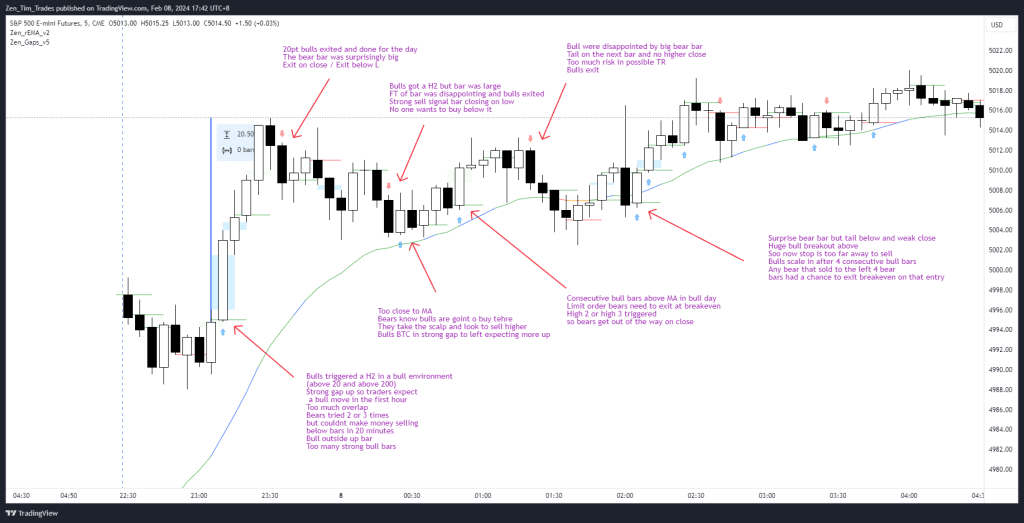
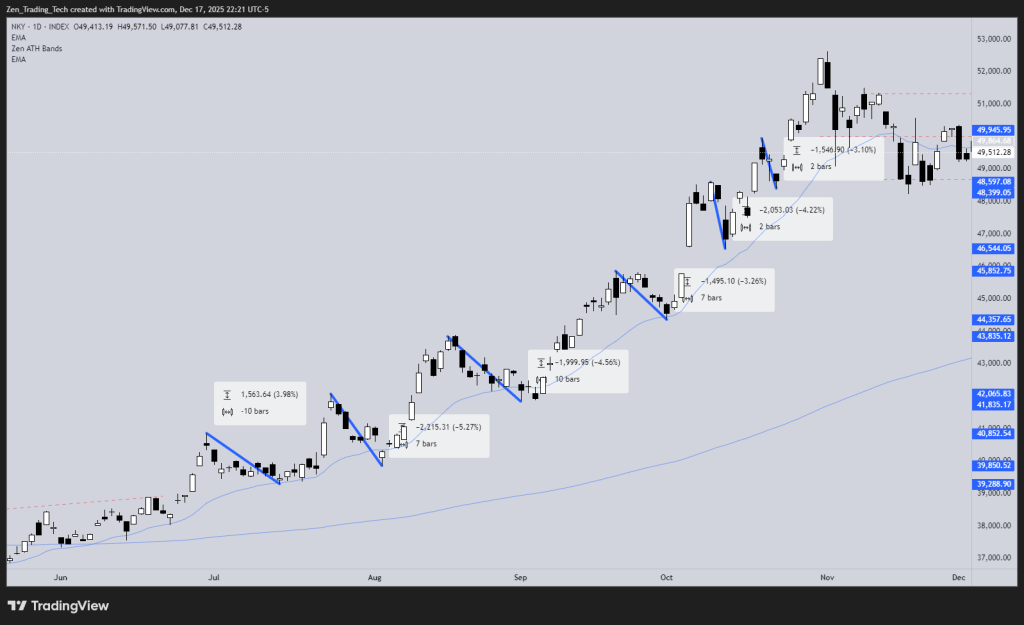
Mark up example:
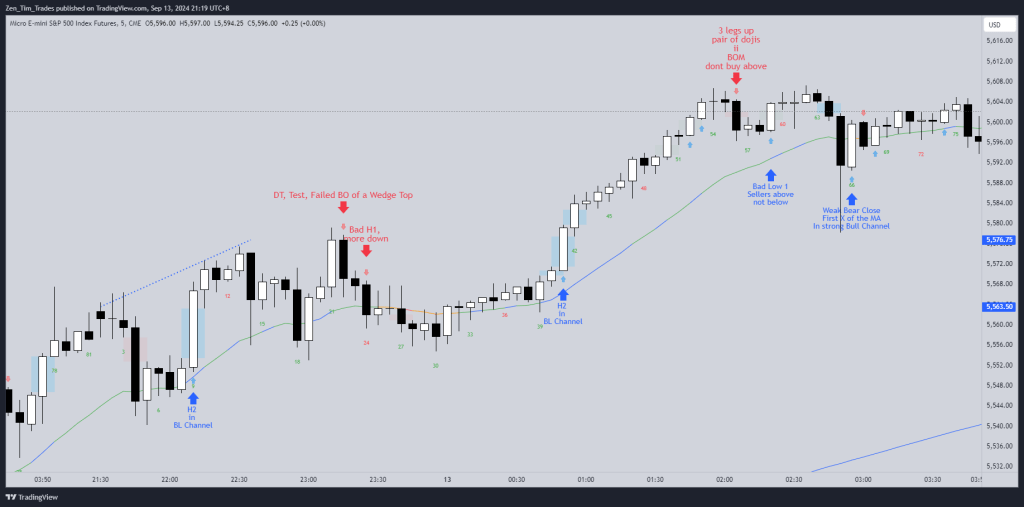
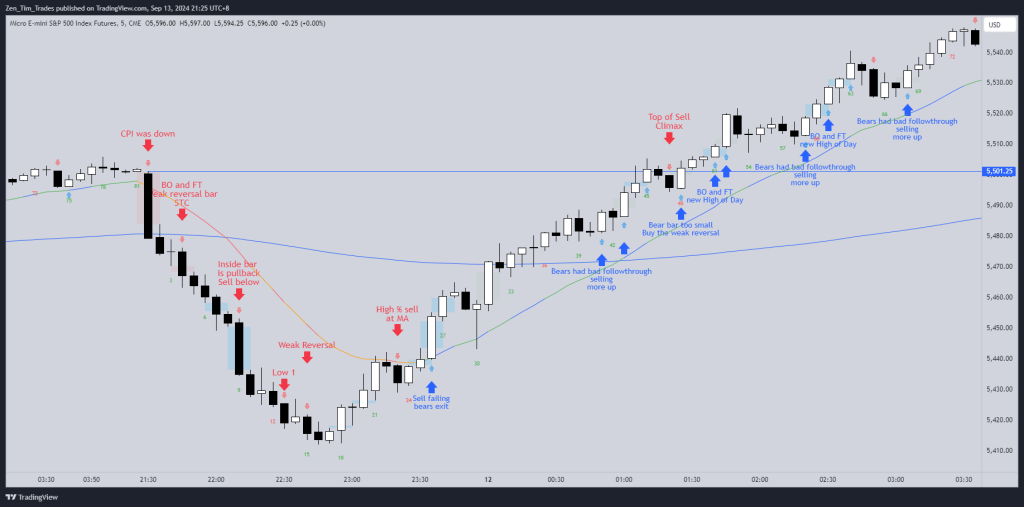
https://www.tradingview.com/x/6y8bjqaG/


 Zen Trading Tech
Leave a comment