Understanding the Always-In Trading Strategy with a Free Indicator (rEMA)
  1. Intro
  2. Link
  3. Video
  4. Explainer – Rainbow EMA
    1. Changing Colours
    2. Always in
    3. Combining both
  5. Missing Wedge Entries
  6. Signal Triggers above / below prior opposite signal
  7. 3 Signals is one way to count a Wedge
  8. Strong trend then first opposite signal – prob minor reversal
  9. Remember where you took your loss – don’t re-enter the same way there
  10. Trading Ranges
  11. Conclusion

Intro

  • In this article I will review a FREE TRADINGVIEW indicator I made and how you can use it in your trading
  • Designed for traders who have done the Brooks Trading Course and understand how PA traders use the MA
  • Designed for traders who understand what ALWAYS IN means in Al Brooks trading

https://www.tradingview.com/script/pQlmaHqq-Zen-rEMA-v2/


Video

  • I made a video on this here: [Coming Soon]

Explainer – Rainbow EMA

  • Indicator that changes colour based on whether price is above or below
  • Indicator that changes colour based on whether there are 2 consecutive good closes above / below the MA (Always In)
  • Optional Always-In arrows to show who’s in control – based on minimum of two closes above/below MA. Goto settings, select SHOW ALWAYS IN

Changing Colours

https://www.tradingview.com/x/FenrsTBk/

Always in

https://www.tradingview.com/x/g2wnh7bj/

Combining both

https://www.tradingview.com/x/siaXJw5i/

https://www.tradingview.com/x/ang2OO0l/
https://www.tradingview.com/x/cxEedMuK/
https://www.tradingview.com/x/DiTOijpR/

Missing Wedge Entries

  • Always in is not an easy concept in trading ranges – always flipping back and forth.
  • Traders believe the market WILL NOT breakout. So as soon as a signal appears, that is often the start of a reversal
https://www.tradingview.com/x/HPouiua6/


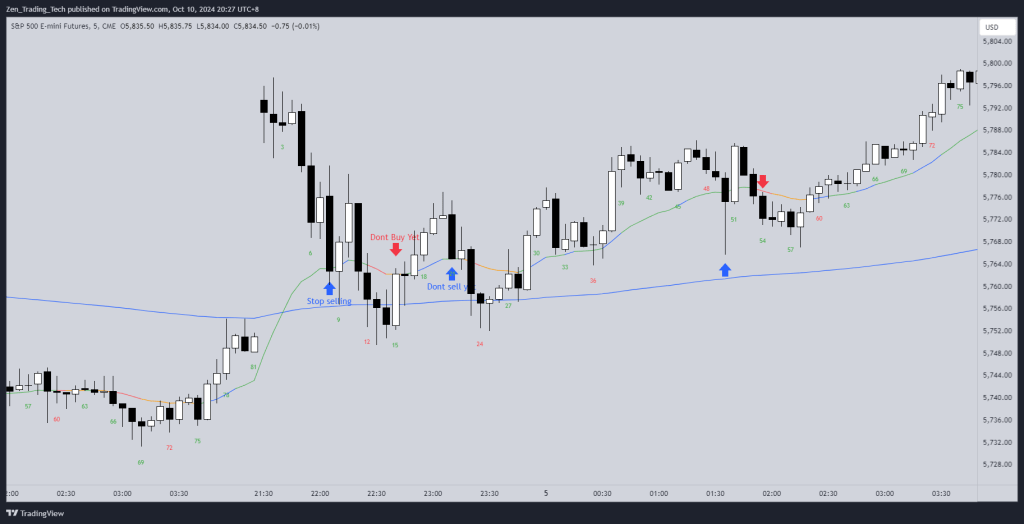
Signal Triggers above / below prior opposite signal

https://www.tradingview.com/x/liBbxM0P/
  • Always in LONG signal fails and a new SHORT signal appears below it. Likely MM and 1 x Risk.

3 Signals is one way to count a Wedge

https://www.tradingview.com/x/wLQBoBPp/
  • You can use it for LEG COUNTING as well.
  • Every-time consecutive bars appear, count a leg.
  • Here we see consecutive wedge bottoms as the reversal.

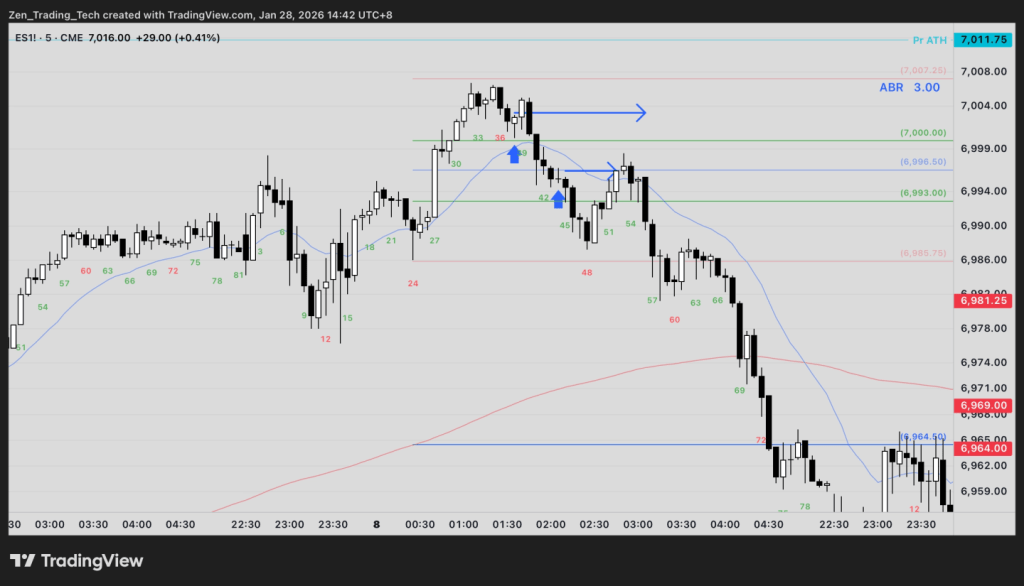
Strong trend then first opposite signal – prob minor reversal

https://www.tradingview.com/x/Qsk7i1X3/
  • Always in can be used to identify the first counter-trend signal, the trendline break.
  • But don’t take it. Instead look for a test of the extreme.

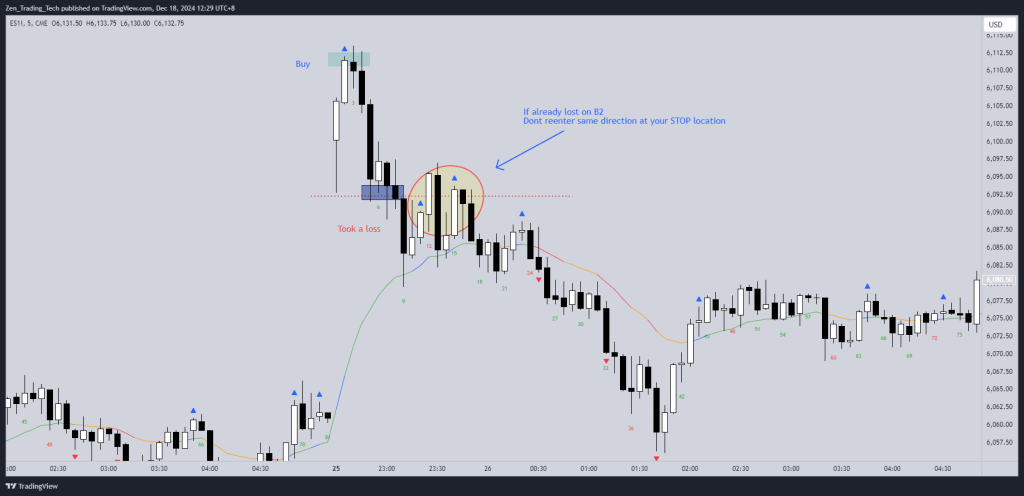
Remember where you took your loss – don’t re-enter the same way there

  • Always in LONG here was a losing trade.
  • So don’t REENTER at that LOSS area.
  • Wait for another signal to develop.
https://www.tradingview.com/x/DzzpIaP3/

Trading Ranges

  • Stop following the signals
  • The DBBLF (Double Bottom Bull Flag) at the first circle was a better LONG
https://www.tradingview.com/x/fm7lKlob/
  • Watch video for detailed explanation

Conclusion

  • I hope this indicator helps you use the MA and ALWAYS IN in your trading and your research to improve your price action skills.

9 responses to “Understanding the Always-In Trading Strategy with a Free Indicator (rEMA)”

  1. Arnan Avatar
    Arnan

    The MA Angle and Always In display of this code may have problems

    Like

    1. Tim Fairweather Avatar

      Hi mate – what is the issue – mine works ok- I’m not a coder so likely the code is not as efficient – did you select show always in / acceleration?

      Like

      1. Arnan Avatar
        Arnan

        I sent you an email and also sent you the pictures, please check your email, thank you

        Like

      2. Tim Fairweather Avatar

        Thanks mate – much appreciated!

        Like

  2. fxmalloc Avatar
    fxmalloc

    Did the always-in feature get removed? It no longer seems to work and other than the switch to turn it on and off I do not see any references to it in the code (v6).

    Like

    1. Tim Fairweather Avatar

      Hi mate I just updated it can you take a look now? Thanks for your message, T

      Like

      1. fxmalloc Avatar
        fxmalloc

        Thanks for the quick reply. There are definitely features back although the scaling is odd but that could be just me as I’m new to Tradingview. I’ll check in more detail tomorrow as it’s late here now and see if I can work it out. Cheers.

        Like

  3. ericzoerner Avatar
    ericzoerner

    What is an MIG Reversal?

    Like

    1. Tim Fairweather Avatar

      Hi Eric – I have both a post on this and a video on my Youtube channel for you to take a look – I call it a Microgap Reversal.

      Like

Leave a reply to fxmalloc Cancel reply

I’m Tim

Welcome to Zen Trading Tech.

I’m a Aussie day trader and I post trading tips, practice drills, and indicators that helped my trading get to a professional level.

Everything here is to help train the eyes and hands to trade better. If it helped me I’ll post it for others. Hope you enjoy!